
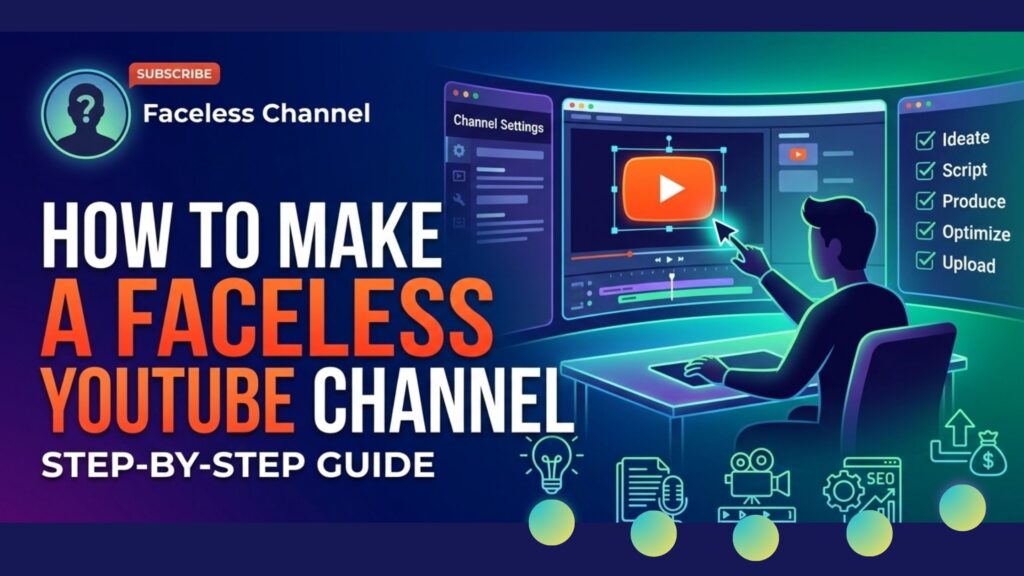
How to Make a Faceless YouTube Channel: Step-by-Step Guide
Creating a faceless YouTube channel is a powerful way to build an audience, earn revenue, and share valuable content—without ever showing your face. Many people want to start on YouTube but feel uncomfortable in front of the camera, are shy, or simply value their privacy. The good news is, you don’t need to appear on screen to succeed. Some of the biggest channels in the world are faceless, using voiceover, animation, stock footage, or even text-to-speech to deliver engaging videos.
But starting a faceless channel is not as simple as hiding your face. It requires smart planning, the right tools, and a clear strategy to stand out in a competitive space. If you want to know how to make a faceless YouTube channel—from picking the right niche to growing your subscribers—this guide covers everything, with practical steps, real examples, and non-obvious insights that beginners often miss.
Related Article: Starting YouTube: How to Make A Career on YouTube
Why Start A Faceless YouTube Channel?
There are strong reasons why so many creators choose to go faceless. First, privacy is a big concern online. You can share your ideas without revealing your personal identity. Second, it reduces performance anxiety, letting you focus on the content instead of worrying about how you look. Faceless channels also give you the freedom to scale: you can hire voice actors, outsource editing, or even automate content, which is much harder if your face is the brand.
A key insight: Faceless channels are often easier to sell later, since they’re not tied to a single personality. This opens up business opportunities if you want to build and flip digital assets.
Some of the world’s most successful channels—like Kurzgesagt, Chills, and Lo-fi Girl—never show a human face, yet have millions of subscribers.
Choosing Your Faceless Channel Niche
Your channel’s niche is the foundation of everything you do. Picking the wrong niche can make it hard to grow, even if your production quality is high. For faceless channels, some niches are better than others.
Popular Faceless Channel Niches
- Animation & Explainers – These use animated characters or graphics to explain topics, like Kurzgesagt or Infographics Show.
- Top 10s & Listicles – Channels like Top5s or WatchMojo use voiceover and stock footage for countdowns.
- Gaming – Let’s Plays, guides, or reviews with only game footage and voiceover, such as Game Theory.
- Music & Audio – Lo-fi streams, soundscapes, or copyright-free music channels; examples include Lo-fi Girl.
- True Crime & Mystery – Narration with photos, maps, and documents, like Lazy Masquerade.
- Tutorials & How-Tos – Screen recordings, step-by-step guides, or animation-based tutorials.
- Motivation & Quotes – Slideshows or simple animation with voiceover narration.
- News & Commentary – Voiceover analysis with stock video, charts, or footage.
A Non-obvious Tip
If you want to avoid copyright issues, choose niches where you can use original or royalty-free footage. For example, animation, screen recording, and text-based videos are safer than using movie clips or popular music.

Credit: pixflow.net
Planning Your Faceless Channel
Planning is critical. Beginners often jump into content creation without a clear plan, then lose motivation when results are slow. Here’s how to plan your faceless channel:
Define Your Audience
Ask yourself:
- Who will watch your videos?
- What problems or questions do they have?
- What style do they enjoy (serious, fun, educational)?
Understanding your audience helps you make content they will actually watch and share.
Research Your Competition
Study the top channels in your niche:
- What type of videos perform best?
- How long are their videos?
- What thumbnails and titles get the most views?
Keep a spreadsheet of your findings. This will guide your content strategy.
Set Realistic Goals
Don’t expect instant success. Most channels take months to gain traction. Set goals for:
- Upload frequency (e.g., 1 video per week)
- Subscriber milestones (100, 1,000, 10,000)
- Watch time and views
Track your progress and adjust your strategy as you learn what works.
Content Creation Without Showing Your Face
Making faceless videos requires different techniques. You need to keep viewers engaged without a face on camera. There are several ways to do this:
Methods For Faceless Content
1. Screen Recording
Use software to capture your computer screen. Great for tutorials, reviews, or tech channels.
2. Stock Footage
Use video clips from sites like Pexels, Pixabay, or Storyblocks. Add voiceover to tell your story.
3. Animation
Tools like Vyond, Toonly, and Blender let you create animated scenes.
4. Slideshow Videos
Use images, text, and simple transitions in PowerPoint or video editors.
5. Text-to-speech
AI voices can read your script, but be sure to pick a natural-sounding option. Overuse can turn off viewers.
6. Podcast-style
Use a static image or visualizer with voiceover.
7. Gameplay Footage
For gaming channels, show gameplay with commentary.
Real-world Example
The channel Chills uses only images and video clips, with a unique voiceover style. It has millions of subscribers—all without showing the creator’s face.

Credit: www.opus.pro
Essential Equipment And Software
You don’t need expensive gear to start a faceless channel, but some basic tools help you make better videos.
Hardware
- Microphone – A clear voice is critical. USB mics like the Blue Yeti or Audio-Technica ATR2100 are popular.
- Computer – For video editing and rendering.
- Headphones – For editing audio and catching background noise.
Software
| Purpose | Recommended Tools | Free/Paid |
|---|---|---|
| Video Editing | DaVinci Resolve, Adobe Premiere Pro, CapCut | Both |
| Screen Recording | OBS Studio, Camtasia, Loom | Both |
| Audio Recording | Audacity, Adobe Audition, GarageBand | Both |
| Animation | Vyond, Blender, Toonly | Both |
Practical Tip
Don’t overspend at the beginning. Start with free tools and upgrade as your channel grows.
How To Write Engaging Scripts
A good script is the heart of any faceless video. Without your face to carry emotion, your words and voice must do all the work.
Steps To Great Scripts
1. Hook The Viewer
Start with a question, surprising fact, or bold statement in the first 10 seconds.
2. Keep It Simple
Use short sentences and simple words. Avoid jargon unless your audience expects it.
3. Structure Matters
Use a clear flow: introduction, main points, summary/call to action.
4. Add Your Unique Voice
Even if you use text-to-speech, your writing style can set you apart.
5. Edit Ruthlessly
Cut anything that doesn’t help the story or message. Viewers click away fast.
Example Opening
“Did you know some of the world’s most successful YouTube channels never show their creators’ faces? Today, we reveal how you can do the same—even if you’re camera-shy. ”
Common Mistakes
- Over-explaining simple ideas
- Making scripts too long or too short (aim for 5–10 minutes per video for most niches)
- Forgetting to add a call to action (“Subscribe for more…”)
Recording High-quality Voiceovers
If you want your audience to stay, your audio must be clear and easy to understand.
Voiceover Tips
- Record in a quiet room with soft surfaces to reduce echo.
- Speak slowly and clearly.
- Use free software like Audacity to remove background noise.
- Practice reading your script before recording.
- Smile while speaking—it makes your voice sound friendlier.
When To Use Text-to-speech
AI voices are improving, but can still sound robotic. Use them only if:
- You cannot record your own voice.
- The niche allows a more mechanical or anonymous feel (e.g., tech, facts).
For most channels, a real human voice works better.
Creating Compelling Visuals Without A Face
Your visuals must keep viewers watching, even if you don’t appear on screen.
Types Of Visuals
- Stock Video – Use relevant clips to illustrate your points.
- Motion Graphics – Simple animations, charts, or text moving on screen.
- Slideshows – Use images and text with smooth transitions.
- Screen Captures – Show exactly what you’re explaining (great for tutorials).
- Infographics – Visualize data or complex ideas clearly.
| Visual Type | Best For | Tools |
|---|---|---|
| Stock Video | Top 10s, Explainers | Pexels, Pixabay, Storyblocks |
| Motion Graphics | Education, Data | After Effects, Canva |
| Slideshows | Quotes, Motivation | PowerPoint, Google Slides |
| Screen Captures | Tutorials, Reviews | OBS Studio, Camtasia |
| Infographics | Facts, Data | Canva, Piktochart |
Non-obvious Insight
Don’t use the same type of visual for the entire video. Switch between types every 10–20 seconds to keep attention high.
Editing Your Faceless Videos
Editing is where your video truly comes together. Good editing can make even simple visuals and voiceovers engaging.
Editing Checklist
- Trim out pauses, mistakes, or boring sections.
- Add background music at low volume to fill silence.
- Use jump cuts to keep the pace fast.
- Add text on screen to highlight key points.
- Match visuals to the script so viewers see what you’re talking about.
Common Beginner Mistake
Many new creators add too many effects or use distracting music. Keep it simple—focus on clarity.
Thumbnails And Titles: Your First Impression
No matter how good your video, people won’t click unless the thumbnail and title grab their attention.
Thumbnails
- Use bold, readable text (3–5 words max).
- Include a strong image or graphic.
- Use high contrast colors.
- Make sure it looks good at small sizes (most views are on mobile).
Titles
- Use keywords your audience is searching for.
- Promise a clear benefit or answer a question.
- Avoid clickbait—YouTube punishes misleading titles.
Example
Title: “10 Faceless Youtube Channel Ideas That Make Money”
Thumbnail: Large numbers, a cartoon character, and bold text: “No Face, Big Views!”
Uploading And Optimizing Your Videos
Publishing is more than just uploading. You need to optimize each video for maximum reach.
Optimization Steps
- Write a clear description with keywords, a summary, and relevant links.
- Use tags to help YouTube understand your topic.
- Add chapters (timestamps) for longer videos.
- Create playlists to keep viewers on your channel.
- Reply to comments to build community.
Data Table: Video Optimization Elements
| Element | Why It Matters |
|---|---|
| Description | Helps YouTube rank your video and informs viewers |
| Tags | Improves discoverability through search |
| Chapters | Makes content easy to navigate |
| Playlists | Increases watch time and session duration |
| Comments | Boosts engagement signals for the algorithm |
Growing Your Faceless Channel
Getting views and subscribers takes time and effort. Here’s how to grow:
Share On Other Platforms
- Post video links to Reddit, Facebook groups, or relevant forums.
- Repurpose short clips for TikTok or Instagram.
Collaborate With Other Channels
- Reach out to similar creators for shoutouts or collaborations.
- Guest voiceovers or joint videos can introduce you to new audiences.
Analyze Your Analytics
- Use YouTube Studio to see what’s working.
- Watch time, retention rate, and click-through rate are key metrics.
- Double down on topics and formats that perform well.
Stay Consistent
- Upload on a regular schedule.
- Don’t quit if growth is slow at first—most channels need at least 30–50 videos to see results.
Non-obvious Growth Tip
Focus on making videos that answer questions people are already searching for. Use tools like Google Trends or TubeBuddy to find low-competition topics.

Credit: www.youtube.com
Monetizing A Faceless Youtube Channel
You can earn revenue even if you never show your face.
Main Monetization Methods
1. Youtube Adsense
Requires 1,000 subscribers and 4,000 watch hours in the past 12 months.
2. Affiliate Marketing
Promote products and earn commissions. Add your links in the description.
3. Sponsorships
Brands may pay for mentions if your channel grows big enough.
4. Selling Digital Products
Offer eBooks, courses, or exclusive content.
5. Channel Memberships
YouTube lets you offer perks for monthly subscribers.
Real-world Example
Some faceless channels in the motivation niche earn $1,000+ per month from AdSense and affiliate links, with only slideshows and voiceover.
For more data about YouTube’s monetization program, see the official YouTube Help Center.
Staying Safe And Anonymous
To truly stay faceless, pay attention to privacy:
- Don’t share personal info in your channel description or videos.
- Use a business email, not your main email.
- Be careful about background sounds that could reveal your location.
- If you hire freelancers, use contracts to keep your ideas safe.
Common Pitfalls To Avoid
1. Copying Other Channels Directly
Inspiration is good, but copying can get your videos removed.
2. Ignoring Copyright
Always use royalty-free music, images, and clips.
3. Low Audio Quality
Poor sound turns viewers away faster than poor visuals.
4. Giving Up Too Soon
Most channels grow slowly at first—keep improving.
5. Focusing Only On Money
Channels built only for quick cash rarely last.
Frequently Asked Questions
How Much Does It Cost To Start A Faceless Youtube Channel?
Starting can be very low cost. You need a basic microphone (around $20–$50), a computer, and free software like OBS Studio or DaVinci Resolve. You can upgrade gear as you grow.
Can I Use Ai-generated Voices On Youtube?
Yes, you can use AI voices, but choose natural-sounding ones. Some viewers dislike robotic voices, and poor quality may affect channel growth.
How Long Does It Take To See Results?
For most faceless channels, it takes 3–6 months of regular uploads to see real growth. Some channels go viral quickly, but it’s rare. Consistency is key.
Is It Hard To Get Monetized Without Showing My Face?
No, YouTube does not require your face for monetization. But you must follow their content guidelines and get enough watch hours and subscribers.
What Are The Best Niches For Faceless Channels?
Animation, tutorials, true crime, and list videos are popular and beginner-friendly. Choose a niche where you can provide value without needing to appear on camera.
Building a successful faceless YouTube channel is possible for anyone willing to learn, practice, and adapt. With the right niche, smart planning, and consistent effort, you can grow an audience and earn income—all while staying behind the scenes.


You May Also Like
Content Marketing Strategies to Boost Your Brand Visibility – A Complete Guide

E Book Business: Proven Strategies to Boost Your Sales Fast